Agent View

The site as an AI agent gets it, beside the site as a person sees it. What it can read, what it has to cut away, and what it never sees.

youtubeembedcodegenerator.com100 pages read on October 24, 2026
Full screen
12 YouTube Embed Parameters Explained (With Examples) - YouTube Embed Code Generator
youtubeembedcodegenerator.com/12-youtube-embed-parameters-explained/

Knowledge baseBlogAbout usContact🇬🇧 EN🇳🇱 NL🇩🇪 DE🇫🇷 FR

HomeToolKnowledge baseBlogAbout usAdvertiseContact

HomeBlog

Embedding Guides

26 juli 2026

11 min read

by Editorial Team

12 YouTube Embed Parameters Explained (With Examples)

A working example for twelve YouTube embed URL parameters: autoplay, mute, start, end, loop, controls, rel, list, index, hl, cc_load_policy and color.

Reading aid:

YouTube embed parameters are the query-string options that control exactly how an embedded video looks and behaves. This guide walks through twelve of the most useful ones individually, with a working example for each, so you can see precisely what each one changes.

The rest of the page is in full screen.

Drawn from the HTML mttr fetched, not a screenshot.
page.md2,218 words, about 5,073 tokens
Embedding Guides 26 juli 2026 11 min read by Editorial Team

# 12 YouTube Embed Parameters Explained (With Examples)

A working example for twelve YouTube embed URL parameters: autoplay, mute, start, end, loop, controls, rel, list, index, hl, cc_load_policy and color.

Reading aid:

YouTube embed parameters are the query-string options that control exactly how an embedded video looks and behaves. This guide walks through twelve of the most useful ones individually, with a working example for each, so you can see precisely what each one changes.

Table of contents

## In this article

1. [How parameters attach to an embed URL](https://youtubeembedcodegenerator.com/12-youtube-embed-parameters-explained/#how-parameters-attach-to-an-embed-url)
2. [1. autoplay](https://youtubeembedcodegenerator.com/12-youtube-embed-parameters-explained/#1-autoplay)
3. [2. mute](https://youtubeembedcodegenerator.com/12-youtube-embed-parameters-explained/#2-mute)
4. [3. start](https://youtubeembedcodegenerator.com/12-youtube-embed-parameters-explained/#3-start)
5. [4. end](https://youtubeembedcodegenerator.com/12-youtube-embed-parameters-explained/#4-end)
6. [5. loop](https://youtubeembedcodegenerator.com/12-youtube-embed-parameters-explained/#5-loop)
7. [6. controls](https://youtubeembedcodegenerator.com/12-youtube-embed-parameters-explained/#6-controls)
8. [7. rel](https://youtubeembedcodegenerator.com/12-youtube-embed-parameters-explained/#7-rel)
9. [8. list (and the videoseries path)](https://youtubeembedcodegenerator.com/12-youtube-embed-parameters-explained/#8-list-and-the-videoseries-path)
10. [9. index](https://youtubeembedcodegenerator.com/12-youtube-embed-parameters-explained/#9-index)
11. [10. hl](https://youtubeembedcodegenerator.com/12-youtube-embed-parameters-explained/#10-hl)
12. [11. cc_load_policy](https://youtubeembedcodegenerator.com/12-youtube-embed-parameters-explained/#11-cc_load_policy)
13. [12. color](https://youtubeembedcodegenerator.com/12-youtube-embed-parameters-explained/#12-color)
14. [Combining several parameters](https://youtubeembedcodegenerator.com/12-youtube-embed-parameters-explained/#combining-several-parameters)
15. [Reference table](https://youtubeembedcodegenerator.com/12-youtube-embed-parameters-explained/#reference-table)
16. [Related reading](https://youtubeembedcodegenerator.com/12-youtube-embed-parameters-explained/#related-reading)
17. [Parameters that are frequently confused with each other](https://youtubeembedcodegenerator.com/12-youtube-embed-parameters-explained/#parameters-that-are-frequently-confused-with-each-other)
18. [Parameters with limited or inconsistent support](https://youtubeembedcodegenerator.com/12-youtube-embed-parameters-explained/#parameters-with-limited-or-inconsistent-support)
19. [A worked example: building a course-page embed step by step](https://youtubeembedcodegenerator.com/12-youtube-embed-parameters-explained/#a-worked-example-building-a-course-page-embed-step-by-step)
20. [Testing your parameter combinations](https://youtubeembedcodegenerator.com/12-youtube-embed-parameters-explained/#testing-your-parameter-combinations)
21. [Parameters and privacy: which ones interact with the nocookie domain](https://youtubeembedcodegenerator.com/12-youtube-embed-parameters-explained/#parameters-and-privacy-which-ones-interact-with-the-nocookie-domain)
22. [Building your own parameter reference for a specific project](https://youtubeembedcodegenerator.com/12-youtube-embed-parameters-explained/#building-your-own-parameter-reference-for-a-specific-project)
23. [A final word on keeping this reference handy](https://youtubeembedcodegenerator.com/12-youtube-embed-parameters-explained/#a-final-word-on-keeping-this-reference-handy)
24. [How YouTube's own documentation compares to this guide](https://youtubeembedcodegenerator.com/12-youtube-embed-parameters-explained/#how-youtubes-own-documentation-compares-to-this-guide)
25. [A closing summary of the twelve parameters](https://youtubeembedcodegenerator.com/12-youtube-embed-parameters-explained/#a-closing-summary-of-the-twelve-parameters)
26. [Build one now](https://youtubeembedcodegenerator.com/12-youtube-embed-parameters-explained/#build-one-now)
27. [Frequently asked questions](https://youtubeembedcodegenerator.com/12-youtube-embed-parameters-explained/#frequently-asked-questions)

## How parameters attach to an embed URL

Every parameter is appended to the embed URL as a key-value pair, joined with an ampersand: `https://www.youtube-nocookie.com/embed/VIDEO_ID?param1=value1&param2=value2`. You can combine as many as you like. Boolean-style parameters generally use 1 for “on” and 0 for “off,” and leaving a parameter out entirely falls back to YouTube’s own default behaviour for it.

## 1. autoplay

Starts the video the moment the player loads, without a visitor pressing play.

```
https://www.youtube-nocookie.com/embed/VIDEO_ID?autoplay=1
```

Most browsers block autoplaying video with sound unless the visitor has already interacted with your site, so autoplay is almost always paired with mute.

## 2. mute

Starts the player muted, which is what makes autoplay reliably work across browsers.

```
https://www.youtube-nocookie.com/embed/VIDEO_ID?autoplay=1&mute=1
```

## 3. start

Begins playback at a specific number of seconds into the video, rather than from the beginning.

```
https://www.youtube-nocookie.com/embed/VIDEO_ID?start=90
```

Ninety seconds in this example means the player opens straight at the 1:30 mark.

## 4. end

Stops playback at a specific number of seconds, useful for showing only a relevant clip of a longer video.

```
https://www.youtube-nocookie.com/embed/VIDEO_ID?start=30&end=90
```

Combined with start, this plays only the 30 to 90 second window and then stops.

## 5. loop

Replays the video automatically once it finishes. For a single video (not a playlist), you also need to add a playlist parameter set to the same video ID, or looping silently will not work.

```
https://www.youtube-nocookie.com/embed/VIDEO_ID?loop=1&playlist=VIDEO_ID
```

## 6. controls

Shows or hides the player’s control bar (play/pause, volume, progress, fullscreen).

```
https://www.youtube-nocookie.com/embed/VIDEO_ID?controls=0
```

Setting this to 0 is common for background-style video where you do not want visible playback controls.

## 7. rel

Controls what related videos are suggested once playback ends. Setting this to 0 limits suggestions to videos from the same channel rather than YouTube’s broader recommendation pool.

```
https://www.youtube-nocookie.com/embed/VIDEO_ID?rel=0
```

## 8. list (and the videoseries path)

Loads an entire playlist instead of a single video. This is combined with the /embed/videoseries path rather than a single video ID.

```
https://www.youtube-nocookie.com/embed/videoseries?list=PLAYLIST_ID
```

## 9. index

Used alongside a playlist to choose which item to start on, counting from 0 for the first video.

```
https://www.youtube-nocookie.com/embed/videoseries?list=PLAYLIST_ID&index=2
```

This example starts on the third video in the playlist.

## 10. hl

Sets the language of the player’s own interface elements (not the video’s audio or captions), using a standard language code.

```
https://www.youtube-nocookie.com/embed/VIDEO_ID?hl=de
```

## 11. cc_load_policy

Forces captions to display by default when set to 1, useful for accessibility-focused embeds or silent-autoplay video where captions carry the meaning.

```
https://www.youtube-nocookie.com/embed/VIDEO_ID?cc_load_policy=1
```

## 12. color

Sets the colour of the player’s progress bar, accepting either red or white as values.

```
https://www.youtube-nocookie.com/embed/VIDEO_ID?color=white
```

## Combining several parameters

Parameters stack freely. A privacy-friendly, responsive, autoplaying background clip that loops silently and hides controls might look like this:

```
https://www.youtube-nocookie.com/embed/VIDEO_ID?autoplay=1&mute=1&controls=0&loop=1&playlist=VIDEO_ID&rel=0
```

## Reference table

| Parameter | Values | What it does |
| --- | --- | --- |
| autoplay | 0 / 1 | Starts playback automatically |
| mute | 0 / 1 | Starts muted, required for reliable autoplay |
| start | seconds | Playback start point |
| end | seconds | Playback stop point |
| loop | 0 / 1 | Replays the video (needs playlist param for a single video) |
| controls | 0 / 1 | Shows or hides the control bar |
| rel | 0 / 1 | Limits end-of-video suggestions to the same channel |
| list | playlist ID | Loads a full playlist via /embed/videoseries |
| index | number | Which playlist item to start on |
| hl | language code | Player interface language |
| cc_load_policy | 0 / 1 | Forces captions on by default |
| color | red / white | Progress bar colour |

## Related reading

For the layout side of embedding, see our guide on [responsive YouTube embeds](https://youtubeembedcodegenerator.com/responsive-youtube-embeds/). For privacy, see [embedding YouTube videos without cookies](https://youtubeembedcodegenerator.com/embedding-youtube-without-cookies-gdpr/). For troubleshooting, see [YouTube video not embedding: 8 fixes](https://youtubeembedcodegenerator.com/youtube-video-not-embedding-fixes/).

## Parameters that are frequently confused with each other

A few of these twelve parameters get mixed up often enough to be worth a direct comparison. autoplay and loop sound similar but do different jobs: autoplay controls whether playback starts on load, loop controls whether it restarts after finishing, and they are commonly used together but are independent settings. start and index are also easy to confuse: start is a time offset in seconds within a single video, while index is a position within a playlist, counted in items rather than time. Getting these paired correctly matters, since mismatching them (for example, trying to use index on a single-video embed) simply has no effect rather than producing an error.

## Parameters with limited or inconsistent support

Not every parameter behaves identically across every context. modestbranding, which reduces YouTube’s logo presence, has had inconsistent effects across different versions of the player and is generally considered a best-effort setting rather than a guaranteed one. Similarly, some display-related parameters can behave slightly differently depending on whether a visitor is logged into a Google account in their browser, since account-level preferences can interact with player defaults. The playback-control parameters covered above, start, end, autoplay, mute, loop and controls, are the most consistently reliable across browsers and account states, which is why they are the ones worth building your embed strategy around.

## A worked example: building a course-page embed step by step

Imagine you are embedding a lesson video on a course page and want it privacy-friendly, responsive, starting at the two-minute mark where the actual lesson content begins (skipping a channel intro), with captions on by default for accessibility, and no autoplay since a visitor should choose to start it themselves. Working through the parameters: privacy-friendly means the youtube-nocookie.com domain; responsive means a percentage-based wrapper rather than fixed dimensions; starting at two minutes means start=120; captions by default means cc_load_policy=1; and no autoplay means simply omitting the autoplay parameter, since that is the default state. The resulting embed URL would be:

```
https://www.youtube-nocookie.com/embed/VIDEO_ID?start=120&cc_load_policy=1&rel=0
```

This single example shows how the parameters covered in this guide combine naturally to solve a specific, realistic requirement rather than existing as an abstract list.

## Testing your parameter combinations

Before publishing an embed with several combined parameters, it is worth testing it directly rather than assuming the combination works as expected. Paste the full embed URL, parameters and all, directly into a browser tab; the player should behave exactly as it would inside your page’s iframe, which lets you catch typos in parameter names (a common mistake, since a misspelled parameter is usually just silently ignored rather than flagged as an error) before they reach your live site.

## Parameters and privacy: which ones interact with the nocookie domain

It is worth clarifying that every parameter covered in this guide works identically whether you use the standard youtube.com embed domain or the privacy-enhanced youtube-nocookie.com domain. The domain choice and the playback parameters are entirely independent decisions: switching to the privacy-enhanced domain does not disable or alter any of autoplay, mute, start, end, loop, controls, rel, list, index, hl, cc_load_policy or color. This is a common point of confusion worth addressing directly, since some site owners assume privacy mode is a stripped-down version of the player with fewer options, when in practice it is functionally identical, just with different cookie behaviour on the Google side.

## Building your own parameter reference for a specific project

For a larger site with many embedded videos, it is worth documenting internally which combination of these twelve parameters your team defaults to, rather than reinventing the choice for every new embed. A simple internal standard, for example: always use the privacy-enhanced domain, always include rel=0, default to no autoplay unless a specific page type calls for it, and always use a responsive wrapper, keeps embeds consistent across a site and makes it much faster to spot a misconfigured one during review. Treating this list of twelve parameters as a menu to choose defaults from, rather than a one-off decision made fresh each time, pays off as a site’s video content grows.

## A final word on keeping this reference handy

Bookmarking this page, or the reference table above specifically, is likely more useful than trying to memorise all twelve parameters outright. In practice, most embeds on a typical site use only three or four of these at once (commonly a privacy-enhanced domain implicitly, rel=0, and occasionally start or autoplay/mute together), so having the full list to check against for the less common cases, like playlists or captions, covers the remaining situations without needing everything memorised up front.

## How YouTube’s own documentation compares to this guide

YouTube publishes its own developer documentation covering the IFrame Player API and embed parameters, aimed primarily at developers building custom, JavaScript-controlled players rather than site owners adding a straightforward embed to a page. This guide focuses specifically on the subset of parameters relevant to a standard iframe embed without custom JavaScript, which covers the large majority of real-world use cases on ordinary websites. For anyone building more advanced, programmatically controlled video experiences (custom play buttons, watch-progress tracking, synchronised multi-video players), YouTube’s own IFrame Player API documentation is the next step beyond what a query-string-parameter approach like this one can offer.

## A closing summary of the twelve parameters

Across autoplay, mute, start, end, loop, controls, rel, list, index, hl, cc_load_policy and color, the practical takeaway is that a small handful (privacy domain choice, rel, and a responsive wrapper) form a sensible default for nearly every embed, while the rest (start/end, loop, shorts formatting, playlists, captions, language and colour) are situational tools worth reaching for only when a specific page genuinely calls for them, rather than being added indiscriminately to every embed on a site.

## Build one now

Free tool

Skip the manual query strings. Paste a link and toggle the options you need.

[Open the embed generator](https://youtubeembedcodegenerator.com/embed-code-generator/)

Keeping this reference within reach means never having to guess at parameter names from memory when a new embedding need comes up.

## Frequently asked questions

Do all these parameters work together with no conflicts?

Yes, they can generally be combined freely. The main dependency to remember is that loop requires a matching playlist parameter to work on a single video.

Are there parameters that no longer work?

A few older parameters referenced in older tutorials, such as showinfo, have been deprecated by YouTube over time and no longer have a visible effect.

Do I need to memorise these to use them?

No. Our free [embed code generator](https://youtubeembedcodegenerator.com/embed-code-generator/) exposes the most useful ones as simple toggles and fields and builds the URL for you.

What happens if I misspell a parameter name?

YouTube’s player generally ignores parameters it does not recognise rather than throwing a visible error, so a typo silently has no effect, which is why testing your exact embed URL directly is worthwhile.

Can I set a default volume level with a parameter?

No, there is no parameter for a specific default volume level; the player either starts muted (via the mute parameter) or at the viewer’s own last-used volume setting.

Do these parameters work the same way on mobile?

Generally yes, though mobile browsers apply their own additional autoplay restrictions on top of YouTube’s own, so muted autoplay is even more consistently required on mobile than on desktop.

Can I change these parameters after a video is already embedded on my page?

Yes, since the parameters simply live in the iframe’s src URL, editing the HTML on your page and republishing takes effect immediately for anyone loading the page afterward.

Is there a maximum number of parameters I can combine?

No practical limit; URLs can carry many parameters, and all twelve covered here can technically be combined on a single embed at once, though not every combination makes sense together.

[Embed parameters and customisation](https://youtubeembedcodegenerator.com/tag/embed-parameters-and-customization/) [Embedding guides](https://youtubeembedcodegenerator.com/tag/embedding-guides/) [Platform integration](https://youtubeembedcodegenerator.com/tag/platform-integration/)

Share this article

[LinkedIn](https://www.linkedin.com/sharing/share-offsite/?url=https%3A%2F%2Fyoutubeembedcodegenerator.com%2F12-youtube-embed-parameters-explained%2F) [Facebook](https://www.facebook.com/sharer/sharer.php?u=https%3A%2F%2Fyoutubeembedcodegenerator.com%2F12-youtube-embed-parameters-explained%2F) [X / Twitter](https://twitter.com/intent/tweet?text=12%20YouTube%20Embed%20Parameters%20Explained%20%28With%20Examples%29&url=https%3A%2F%2Fyoutubeembedcodegenerator.com%2F12-youtube-embed-parameters-explained%2F) [E-mail](mailto:?subject=12%20YouTube%20Embed%20Parameters%20Explained%20%28With%20Examples%29&body=https%3A%2F%2Fyoutubeembedcodegenerator.com%2F12-youtube-embed-parameters-explained%2F)

### Ready to try it yourself?

Use our free tool and get your result in seconds.

[Open the tool, free](https://youtubeembedcodegenerator.com/embed-code-generator/)

Written by

[Editorial Team](https://youtubeembedcodegenerator.com/author/redactie/)

Writes about online tools and practical how-to guides, short and clear.

### Categories

- [Embedding Guides](https://youtubeembedcodegenerator.com/category/embedding-guides/)
- [Platforms](https://youtubeembedcodegenerator.com/category/platforms/)
- [YouTube Explained](https://youtubeembedcodegenerator.com/category/youtube-explained/)

### Recent articles

- [GDPR and YouTube Embeds: 7 Things Site Owners Must Know](https://youtubeembedcodegenerator.com/gdpr-youtube-embeds-things-site-owners-must-know/) juli 26, 2026
- [9 Ways to Speed Up Pages With YouTube Embeds](https://youtubeembedcodegenerator.com/9-ways-speed-up-pages-youtube-embeds/) juli 26, 2026
- [12 YouTube Embed Parameters Explained (With Examples)](https://youtubeembedcodegenerator.com/12-youtube-embed-parameters-explained/) juli 26, 2026
- [YouTube Video Not Embedding? 8 Fixes That Actually Work](https://youtubeembedcodegenerator.com/youtube-video-not-embedding-fixes/) juli 26, 2026
- [6 Signs a YouTube Downloader Site Is Unsafe](https://youtubeembedcodegenerator.com/6-signs-youtube-downloader-site-unsafe/) juli 26, 2026

No <main>: Wrap the page’s own content in <main>, so a reader knows where it starts and stops, and Clean can be measured.

The figures

100 pages, set against the 167,893 sites with figures.

See its rivals
Readablehigher is better
100%100 of 100 pages
All 167,893 sitesBetter than 47%

Pages whose own text is in the HTML the server sends, enough of it for their kind.

Cleanhigher is better
Nonemiddle page
All 167,893 sitesNo place yetWith no figure, it has no place.

Of the words before script, the share that are the page and not menus, footer and forms. 100 pages are not measured, with no <main> or no words.

Costshown, never scored
103,596tokens
About 1,036 a page

To read every page once. A long page that answers well is not worse for it. Tokens are estimated at about 4 characters each.

How its pages spread on Clean

No page measured

0 pages measured. Not measured: 100 with no <main> or no words.

Against its rivals

The sites nearest it by what they do, with figures. Close means similar work, not better.

Readinghigher is betterCostnot scored
SiteReadableCleanTokens a page
youtubeembedcodegenerator.comThis site, 100 pages100%None1,036
youtube.com100 pages98%42%966
copyvideo.ai100 pages77%91%728
youtubetrimmer.com4 pages100%None816

First of 4 on Readable.

AI crawler access

What robots.txt says to each, as read on October 24, 2026. 8 of 8 may read the site.

Open robots.txt
Crawlerrobots.txt saysUsed forThe line that decides
GPTBotOpenAINot namedTraining modelsNo robots.txt
OAI-SearchBotOpenAINot namedChatGPT searchNo robots.txt
ChatGPT-UserOpenAINot namedA page a person asks aboutNo robots.txt
ClaudeBotAnthropicNot namedTraining modelsNo robots.txt
Claude-SearchBotAnthropicNot namedClaude’s searchNo robots.txt
PerplexityBotPerplexityNot namedPerplexity searchNo robots.txt
Google-ExtendedGoogleNot namedTraining GeminiNo robots.txt
bingbotMicrosoftNot namedBing and CopilotNo robots.txt

Every AI crawler mttr checks may read it. Not named means the rules for every crawler apply.

Every page

Worst first. Each opens in Agent View at the top.

100 pages of 100 lose something. Pick a loss to see what to do about it.Open the action plan

What an agent getshigher is betterSignalsCostnot scored
PageWordsCleanReadableMain headingTokensWhat it loses
/731No <main>YesYes1,392No <main>
/10-youtube-downloader-myths-fact-checked1,893No <main>YesYes4,285No <main>
/12-youtube-embed-parameters-explained2,218No <main>YesYes5,073No <main>
/5-legal-ways-to-watch-youtube-offline1,830No <main>YesYes3,931No <main>
/6-signs-youtube-downloader-site-unsafe1,842No <main>YesYes3,989No <main>
/9-ways-speed-up-pages-youtube-embeds2,345No <main>YesYes5,050No <main>
/blog112No <main>YesYes396No <main>
/complete-youtube-embed-guide1,145No <main>YesYes2,633No <main>
/da/annoncer65No <main>YesYes125No <main>
/da/ansvarsfraskrivelse177No <main>YesYes336No <main>
/da/blog839No <main>YesYes2,708No <main>
/da/cookies80No <main>YesYes171No <main>
/da/kontakt33No <main>YesYes85No <main>
/da/om-os199No <main>YesYes377No <main>
/da/privatlivspolitik106No <main>YesYes238No <main>
/da/sitemap31No <main>YesYes279No <main>
/de/cookies80No <main>YesYes188No <main>
/de/datenschutz114No <main>YesYes257No <main>
/de/haftungsausschluss185No <main>YesYes349No <main>
/de/kontakt34No <main>YesYes90No <main>
/de/sitemap32No <main>YesYes277No <main>
/de/ueber-uns211No <main>YesYes410No <main>
/de/werben69No <main>YesYes144No <main>
/embedding-youtube-in-shopify470No <main>YesYes1,234No <main>
/embedding-youtube-in-wix455No <main>YesYes1,168No <main>
The worst 25 of 100 pages.Show all 100

Show where it stands

A card, a badge and a line, each with the figures.
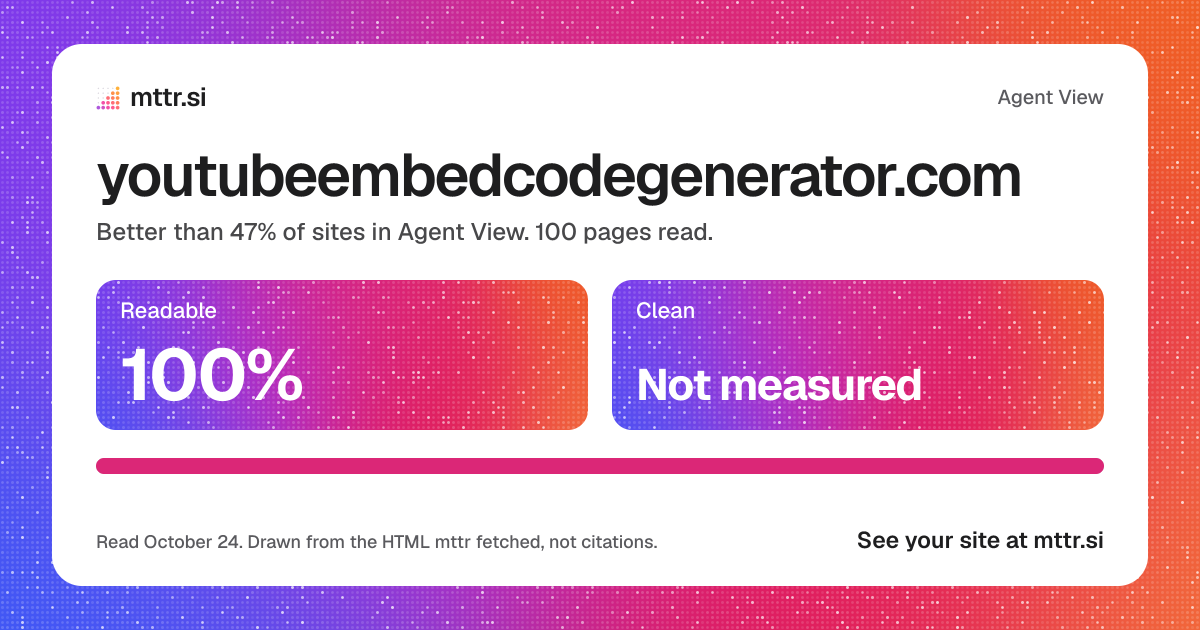
youtubeembedcodegenerator.com in Agent View: 100% readable
1200 by 630, for linksDownload

A badge for the site

Agent View: 100% readable
<a href="https://mttr.si/agent-view/youtubeembedcodegenerator.com"><img src="https://mttr.si/agent-view/youtubeembedcodegenerator.com/badge.svg" alt="Agent View: 100% readable" height="20"></a>
Drawn again after every read

The figures in one line

youtubeembedcodegenerator.com in Agent View: 100% of pages readable, better than 47% of sites; Clean not measured; 103,596 tokens to read all 100 pages. mttr.si/agent-view/youtubeembedcodegenerator.com

What to do next

Fix the pages, let an agent do it, and read the site again to see the figures move.

Fix what agents miss

100pages lose something
  • Wrap 100 pages in <main>Clean measured
Open the action plan

Connect your agent

Claude Code, Codex or Cursor reads the site’s fixes over MCP, fixes a page in your code, has mttr read it again, and checks the fix landed.

https://mttr.si/mcp
Set up an agent

Claim the site

Prove it is yours with a DNS record or a file. Your agent can then reach its reads and jobs, and set each change to wait for your approval.

Claim the site

Drawn from the HTML mttr fetched on its read of October 24, 2026, not a screenshot, and only from the 100 pages read, where the read stopped at its page limit. An assistant’s own reader may differ. Tokens are estimated at about 4 characters each. A site an agent reads well is not a site an assistant cites.

Agent Viewyoutubeembedcodegenerator.com Close Esc
12 YouTube Embed Parameters Explained (With Examples) - YouTube Embed Code Generator
youtubeembedcodegenerator.com/12-youtube-embed-parameters-explained/

Knowledge baseBlogAbout usContact🇬🇧 EN🇳🇱 NL🇩🇪 DE🇫🇷 FR

HomeToolKnowledge baseBlogAbout usAdvertiseContact

HomeBlog

Embedding Guides

26 juli 2026

11 min read

by Editorial Team

12 YouTube Embed Parameters Explained (With Examples)

A working example for twelve YouTube embed URL parameters: autoplay, mute, start, end, loop, controls, rel, list, index, hl, cc_load_policy and color.

Reading aid:

YouTube embed parameters are the query-string options that control exactly how an embedded video looks and behaves. This guide walks through twelve of the most useful ones individually, with a working example for each, so you can see precisely what each one changes.

Table of contents

In this article

  1. How parameters attach to an embed URL
  2. 1. autoplay
  3. 2. mute
  4. 3. start
  5. 4. end
  6. 5. loop
  7. 6. controls
  8. 7. rel
  9. 8. list (and the videoseries path)
  10. 9. index
  11. 10. hl
  12. 11. cc_load_policy
  13. 12. color
  14. Combining several parameters
  15. Reference table
  16. Related reading
  17. Parameters that are frequently confused with each other
  18. Parameters with limited or inconsistent support
  19. A worked example: building a course-page embed step by step
  20. Testing your parameter combinations
  21. Parameters and privacy: which ones interact with the nocookie domain
  22. Building your own parameter reference for a specific project
  23. A final word on keeping this reference handy
  24. How YouTube's own documentation compares to this guide
  25. A closing summary of the twelve parameters
  26. Build one now
  27. Frequently asked questions

How parameters attach to an embed URL

Every parameter is appended to the embed URL as a key-value pair, joined with an ampersand: https://www.youtube-nocookie.com/embed/VIDEO_ID?param1=value1&param2=value2. You can combine as many as you like. Boolean-style parameters generally use 1 for “on” and 0 for “off,” and leaving a parameter out entirely falls back to YouTube’s own default behaviour for it.

1. autoplay

Starts the video the moment the player loads, without a visitor pressing play.

https://www.youtube-nocookie.com/embed/VIDEO_ID?autoplay=1

Most browsers block autoplaying video with sound unless the visitor has already interacted with your site, so autoplay is almost always paired with mute.

2. mute

Starts the player muted, which is what makes autoplay reliably work across browsers.

https://www.youtube-nocookie.com/embed/VIDEO_ID?autoplay=1&mute=1

3. start

Begins playback at a specific number of seconds into the video, rather than from the beginning.

https://www.youtube-nocookie.com/embed/VIDEO_ID?start=90

Ninety seconds in this example means the player opens straight at the 1:30 mark.

4. end

Stops playback at a specific number of seconds, useful for showing only a relevant clip of a longer video.

https://www.youtube-nocookie.com/embed/VIDEO_ID?start=30&end=90

Combined with start, this plays only the 30 to 90 second window and then stops.

5. loop

Replays the video automatically once it finishes. For a single video (not a playlist), you also need to add a playlist parameter set to the same video ID, or looping silently will not work.

https://www.youtube-nocookie.com/embed/VIDEO_ID?loop=1&playlist=VIDEO_ID

6. controls

Shows or hides the player’s control bar (play/pause, volume, progress, fullscreen).

https://www.youtube-nocookie.com/embed/VIDEO_ID?controls=0

Setting this to 0 is common for background-style video where you do not want visible playback controls.

7. rel

Controls what related videos are suggested once playback ends. Setting this to 0 limits suggestions to videos from the same channel rather than YouTube’s broader recommendation pool.

https://www.youtube-nocookie.com/embed/VIDEO_ID?rel=0

8. list (and the videoseries path)

Loads an entire playlist instead of a single video. This is combined with the /embed/videoseries path rather than a single video ID.

https://www.youtube-nocookie.com/embed/videoseries?list=PLAYLIST_ID

9. index

Used alongside a playlist to choose which item to start on, counting from 0 for the first video.

https://www.youtube-nocookie.com/embed/videoseries?list=PLAYLIST_ID&index=2

This example starts on the third video in the playlist.

10. hl

Sets the language of the player’s own interface elements (not the video’s audio or captions), using a standard language code.

https://www.youtube-nocookie.com/embed/VIDEO_ID?hl=de

11. cc_load_policy

Forces captions to display by default when set to 1, useful for accessibility-focused embeds or silent-autoplay video where captions carry the meaning.

https://www.youtube-nocookie.com/embed/VIDEO_ID?cc_load_policy=1

12. color

Sets the colour of the player’s progress bar, accepting either red or white as values.

https://www.youtube-nocookie.com/embed/VIDEO_ID?color=white

Combining several parameters

Parameters stack freely. A privacy-friendly, responsive, autoplaying background clip that loops silently and hides controls might look like this:

https://www.youtube-nocookie.com/embed/VIDEO_ID?autoplay=1&mute=1&controls=0&loop=1&playlist=VIDEO_ID&rel=0

Reference table

Parameter Values What it does
autoplay 0 / 1 Starts playback automatically
mute 0 / 1 Starts muted, required for reliable autoplay
start seconds Playback start point
end seconds Playback stop point
loop 0 / 1 Replays the video (needs playlist param for a single video)
controls 0 / 1 Shows or hides the control bar
rel 0 / 1 Limits end-of-video suggestions to the same channel
list playlist ID Loads a full playlist via /embed/videoseries
index number Which playlist item to start on
hl language code Player interface language
cc_load_policy 0 / 1 Forces captions on by default
color red / white Progress bar colour

Related reading

For the layout side of embedding, see our guide on responsive YouTube embeds. For privacy, see embedding YouTube videos without cookies. For troubleshooting, see YouTube video not embedding: 8 fixes.

Parameters that are frequently confused with each other

A few of these twelve parameters get mixed up often enough to be worth a direct comparison. autoplay and loop sound similar but do different jobs: autoplay controls whether playback starts on load, loop controls whether it restarts after finishing, and they are commonly used together but are independent settings. start and index are also easy to confuse: start is a time offset in seconds within a single video, while index is a position within a playlist, counted in items rather than time. Getting these paired correctly matters, since mismatching them (for example, trying to use index on a single-video embed) simply has no effect rather than producing an error.

Parameters with limited or inconsistent support

Not every parameter behaves identically across every context. modestbranding, which reduces YouTube’s logo presence, has had inconsistent effects across different versions of the player and is generally considered a best-effort setting rather than a guaranteed one. Similarly, some display-related parameters can behave slightly differently depending on whether a visitor is logged into a Google account in their browser, since account-level preferences can interact with player defaults. The playback-control parameters covered above, start, end, autoplay, mute, loop and controls, are the most consistently reliable across browsers and account states, which is why they are the ones worth building your embed strategy around.

A worked example: building a course-page embed step by step

Imagine you are embedding a lesson video on a course page and want it privacy-friendly, responsive, starting at the two-minute mark where the actual lesson content begins (skipping a channel intro), with captions on by default for accessibility, and no autoplay since a visitor should choose to start it themselves. Working through the parameters: privacy-friendly means the youtube-nocookie.com domain; responsive means a percentage-based wrapper rather than fixed dimensions; starting at two minutes means start=120; captions by default means cc_load_policy=1; and no autoplay means simply omitting the autoplay parameter, since that is the default state. The resulting embed URL would be:

https://www.youtube-nocookie.com/embed/VIDEO_ID?start=120&cc_load_policy=1&rel=0

This single example shows how the parameters covered in this guide combine naturally to solve a specific, realistic requirement rather than existing as an abstract list.

Testing your parameter combinations

Before publishing an embed with several combined parameters, it is worth testing it directly rather than assuming the combination works as expected. Paste the full embed URL, parameters and all, directly into a browser tab; the player should behave exactly as it would inside your page’s iframe, which lets you catch typos in parameter names (a common mistake, since a misspelled parameter is usually just silently ignored rather than flagged as an error) before they reach your live site.

Parameters and privacy: which ones interact with the nocookie domain

It is worth clarifying that every parameter covered in this guide works identically whether you use the standard youtube.com embed domain or the privacy-enhanced youtube-nocookie.com domain. The domain choice and the playback parameters are entirely independent decisions: switching to the privacy-enhanced domain does not disable or alter any of autoplay, mute, start, end, loop, controls, rel, list, index, hl, cc_load_policy or color. This is a common point of confusion worth addressing directly, since some site owners assume privacy mode is a stripped-down version of the player with fewer options, when in practice it is functionally identical, just with different cookie behaviour on the Google side.

Building your own parameter reference for a specific project

For a larger site with many embedded videos, it is worth documenting internally which combination of these twelve parameters your team defaults to, rather than reinventing the choice for every new embed. A simple internal standard, for example: always use the privacy-enhanced domain, always include rel=0, default to no autoplay unless a specific page type calls for it, and always use a responsive wrapper, keeps embeds consistent across a site and makes it much faster to spot a misconfigured one during review. Treating this list of twelve parameters as a menu to choose defaults from, rather than a one-off decision made fresh each time, pays off as a site’s video content grows.

A final word on keeping this reference handy

Bookmarking this page, or the reference table above specifically, is likely more useful than trying to memorise all twelve parameters outright. In practice, most embeds on a typical site use only three or four of these at once (commonly a privacy-enhanced domain implicitly, rel=0, and occasionally start or autoplay/mute together), so having the full list to check against for the less common cases, like playlists or captions, covers the remaining situations without needing everything memorised up front.

How YouTube’s own documentation compares to this guide

YouTube publishes its own developer documentation covering the IFrame Player API and embed parameters, aimed primarily at developers building custom, JavaScript-controlled players rather than site owners adding a straightforward embed to a page. This guide focuses specifically on the subset of parameters relevant to a standard iframe embed without custom JavaScript, which covers the large majority of real-world use cases on ordinary websites. For anyone building more advanced, programmatically controlled video experiences (custom play buttons, watch-progress tracking, synchronised multi-video players), YouTube’s own IFrame Player API documentation is the next step beyond what a query-string-parameter approach like this one can offer.

A closing summary of the twelve parameters

Across autoplay, mute, start, end, loop, controls, rel, list, index, hl, cc_load_policy and color, the practical takeaway is that a small handful (privacy domain choice, rel, and a responsive wrapper) form a sensible default for nearly every embed, while the rest (start/end, loop, shorts formatting, playlists, captions, language and colour) are situational tools worth reaching for only when a specific page genuinely calls for them, rather than being added indiscriminately to every embed on a site.

Build one now

Free tool

Skip the manual query strings. Paste a link and toggle the options you need.

Open the embed generator

Keeping this reference within reach means never having to guess at parameter names from memory when a new embedding need comes up.

Frequently asked questions

Do all these parameters work together with no conflicts?

+

Yes, they can generally be combined freely. The main dependency to remember is that loop requires a matching playlist parameter to work on a single video.

Are there parameters that no longer work?

+

A few older parameters referenced in older tutorials, such as showinfo, have been deprecated by YouTube over time and no longer have a visible effect.

Do I need to memorise these to use them?

+

No. Our free embed code generator exposes the most useful ones as simple toggles and fields and builds the URL for you.

What happens if I misspell a parameter name?

+

YouTube’s player generally ignores parameters it does not recognise rather than throwing a visible error, so a typo silently has no effect, which is why testing your exact embed URL directly is worthwhile.

Can I set a default volume level with a parameter?

+

No, there is no parameter for a specific default volume level; the player either starts muted (via the mute parameter) or at the viewer’s own last-used volume setting.

Do these parameters work the same way on mobile?

+

Generally yes, though mobile browsers apply their own additional autoplay restrictions on top of YouTube’s own, so muted autoplay is even more consistently required on mobile than on desktop.

Can I change these parameters after a video is already embedded on my page?

+

Yes, since the parameters simply live in the iframe’s src URL, editing the HTML on your page and republishing takes effect immediately for anyone loading the page afterward.

Is there a maximum number of parameters I can combine?

+

No practical limit; URLs can carry many parameters, and all twelve covered here can technically be combined on a single embed at once, though not every combination makes sense together.

Embed parameters and customisation

Embedding guides

Platform integration

Share this article

LinkedIn

Facebook

X / Twitter

E-mail

Ready to try it yourself?

Use our free tool and get your result in seconds.

Open the tool, free

E

Written by

Editorial Team

Writes about online tools and practical how-to guides, short and clear.

← Previous YouTube Video Not Embedding?…Next → 9 Ways to Speed Up Pages With You…

Categories

  • Embedding Guides
  • Platforms
  • YouTube Explained

Recent articles

  • GDPR and YouTube Embeds: 7 Things Site Owners Must Know juli 26, 2026
  • 9 Ways to Speed Up Pages With YouTube Embeds juli 26, 2026
  • 12 YouTube Embed Parameters Explained (With Examples) juli 26, 2026
  • YouTube Video Not Embedding? 8 Fixes That Actually Work juli 26, 2026
  • 6 Signs a YouTube Downloader Site Is Unsafe juli 26, 2026

ToolThumbnail viewerTimestamp link generatorYouTube size guideEarnings calculatorKnowledge baseBlogAbout us

Drawn from the HTML mttr fetched, not a screenshot.
page.md2,218 words, about 5,073 tokens
Embedding Guides 26 juli 2026 11 min read by Editorial Team

# 12 YouTube Embed Parameters Explained (With Examples)

A working example for twelve YouTube embed URL parameters: autoplay, mute, start, end, loop, controls, rel, list, index, hl, cc_load_policy and color.

Reading aid:

YouTube embed parameters are the query-string options that control exactly how an embedded video looks and behaves. This guide walks through twelve of the most useful ones individually, with a working example for each, so you can see precisely what each one changes.

Table of contents

## In this article

1. [How parameters attach to an embed URL](https://youtubeembedcodegenerator.com/12-youtube-embed-parameters-explained/#how-parameters-attach-to-an-embed-url)
2. [1. autoplay](https://youtubeembedcodegenerator.com/12-youtube-embed-parameters-explained/#1-autoplay)
3. [2. mute](https://youtubeembedcodegenerator.com/12-youtube-embed-parameters-explained/#2-mute)
4. [3. start](https://youtubeembedcodegenerator.com/12-youtube-embed-parameters-explained/#3-start)
5. [4. end](https://youtubeembedcodegenerator.com/12-youtube-embed-parameters-explained/#4-end)
6. [5. loop](https://youtubeembedcodegenerator.com/12-youtube-embed-parameters-explained/#5-loop)
7. [6. controls](https://youtubeembedcodegenerator.com/12-youtube-embed-parameters-explained/#6-controls)
8. [7. rel](https://youtubeembedcodegenerator.com/12-youtube-embed-parameters-explained/#7-rel)
9. [8. list (and the videoseries path)](https://youtubeembedcodegenerator.com/12-youtube-embed-parameters-explained/#8-list-and-the-videoseries-path)
10. [9. index](https://youtubeembedcodegenerator.com/12-youtube-embed-parameters-explained/#9-index)
11. [10. hl](https://youtubeembedcodegenerator.com/12-youtube-embed-parameters-explained/#10-hl)
12. [11. cc_load_policy](https://youtubeembedcodegenerator.com/12-youtube-embed-parameters-explained/#11-cc_load_policy)
13. [12. color](https://youtubeembedcodegenerator.com/12-youtube-embed-parameters-explained/#12-color)
14. [Combining several parameters](https://youtubeembedcodegenerator.com/12-youtube-embed-parameters-explained/#combining-several-parameters)
15. [Reference table](https://youtubeembedcodegenerator.com/12-youtube-embed-parameters-explained/#reference-table)
16. [Related reading](https://youtubeembedcodegenerator.com/12-youtube-embed-parameters-explained/#related-reading)
17. [Parameters that are frequently confused with each other](https://youtubeembedcodegenerator.com/12-youtube-embed-parameters-explained/#parameters-that-are-frequently-confused-with-each-other)
18. [Parameters with limited or inconsistent support](https://youtubeembedcodegenerator.com/12-youtube-embed-parameters-explained/#parameters-with-limited-or-inconsistent-support)
19. [A worked example: building a course-page embed step by step](https://youtubeembedcodegenerator.com/12-youtube-embed-parameters-explained/#a-worked-example-building-a-course-page-embed-step-by-step)
20. [Testing your parameter combinations](https://youtubeembedcodegenerator.com/12-youtube-embed-parameters-explained/#testing-your-parameter-combinations)
21. [Parameters and privacy: which ones interact with the nocookie domain](https://youtubeembedcodegenerator.com/12-youtube-embed-parameters-explained/#parameters-and-privacy-which-ones-interact-with-the-nocookie-domain)
22. [Building your own parameter reference for a specific project](https://youtubeembedcodegenerator.com/12-youtube-embed-parameters-explained/#building-your-own-parameter-reference-for-a-specific-project)
23. [A final word on keeping this reference handy](https://youtubeembedcodegenerator.com/12-youtube-embed-parameters-explained/#a-final-word-on-keeping-this-reference-handy)
24. [How YouTube's own documentation compares to this guide](https://youtubeembedcodegenerator.com/12-youtube-embed-parameters-explained/#how-youtubes-own-documentation-compares-to-this-guide)
25. [A closing summary of the twelve parameters](https://youtubeembedcodegenerator.com/12-youtube-embed-parameters-explained/#a-closing-summary-of-the-twelve-parameters)
26. [Build one now](https://youtubeembedcodegenerator.com/12-youtube-embed-parameters-explained/#build-one-now)
27. [Frequently asked questions](https://youtubeembedcodegenerator.com/12-youtube-embed-parameters-explained/#frequently-asked-questions)

## How parameters attach to an embed URL

Every parameter is appended to the embed URL as a key-value pair, joined with an ampersand: `https://www.youtube-nocookie.com/embed/VIDEO_ID?param1=value1&param2=value2`. You can combine as many as you like. Boolean-style parameters generally use 1 for “on” and 0 for “off,” and leaving a parameter out entirely falls back to YouTube’s own default behaviour for it.

## 1. autoplay

Starts the video the moment the player loads, without a visitor pressing play.

```
https://www.youtube-nocookie.com/embed/VIDEO_ID?autoplay=1
```

Most browsers block autoplaying video with sound unless the visitor has already interacted with your site, so autoplay is almost always paired with mute.

## 2. mute

Starts the player muted, which is what makes autoplay reliably work across browsers.

```
https://www.youtube-nocookie.com/embed/VIDEO_ID?autoplay=1&mute=1
```

## 3. start

Begins playback at a specific number of seconds into the video, rather than from the beginning.

```
https://www.youtube-nocookie.com/embed/VIDEO_ID?start=90
```

Ninety seconds in this example means the player opens straight at the 1:30 mark.

## 4. end

Stops playback at a specific number of seconds, useful for showing only a relevant clip of a longer video.

```
https://www.youtube-nocookie.com/embed/VIDEO_ID?start=30&end=90
```

Combined with start, this plays only the 30 to 90 second window and then stops.

## 5. loop

Replays the video automatically once it finishes. For a single video (not a playlist), you also need to add a playlist parameter set to the same video ID, or looping silently will not work.

```
https://www.youtube-nocookie.com/embed/VIDEO_ID?loop=1&playlist=VIDEO_ID
```

## 6. controls

Shows or hides the player’s control bar (play/pause, volume, progress, fullscreen).

```
https://www.youtube-nocookie.com/embed/VIDEO_ID?controls=0
```

Setting this to 0 is common for background-style video where you do not want visible playback controls.

## 7. rel

Controls what related videos are suggested once playback ends. Setting this to 0 limits suggestions to videos from the same channel rather than YouTube’s broader recommendation pool.

```
https://www.youtube-nocookie.com/embed/VIDEO_ID?rel=0
```

## 8. list (and the videoseries path)

Loads an entire playlist instead of a single video. This is combined with the /embed/videoseries path rather than a single video ID.

```
https://www.youtube-nocookie.com/embed/videoseries?list=PLAYLIST_ID
```

## 9. index

Used alongside a playlist to choose which item to start on, counting from 0 for the first video.

```
https://www.youtube-nocookie.com/embed/videoseries?list=PLAYLIST_ID&index=2
```

This example starts on the third video in the playlist.

## 10. hl

Sets the language of the player’s own interface elements (not the video’s audio or captions), using a standard language code.

```
https://www.youtube-nocookie.com/embed/VIDEO_ID?hl=de
```

## 11. cc_load_policy

Forces captions to display by default when set to 1, useful for accessibility-focused embeds or silent-autoplay video where captions carry the meaning.

```
https://www.youtube-nocookie.com/embed/VIDEO_ID?cc_load_policy=1
```

## 12. color

Sets the colour of the player’s progress bar, accepting either red or white as values.

```
https://www.youtube-nocookie.com/embed/VIDEO_ID?color=white
```

## Combining several parameters

Parameters stack freely. A privacy-friendly, responsive, autoplaying background clip that loops silently and hides controls might look like this:

```
https://www.youtube-nocookie.com/embed/VIDEO_ID?autoplay=1&mute=1&controls=0&loop=1&playlist=VIDEO_ID&rel=0
```

## Reference table

| Parameter | Values | What it does |
| --- | --- | --- |
| autoplay | 0 / 1 | Starts playback automatically |
| mute | 0 / 1 | Starts muted, required for reliable autoplay |
| start | seconds | Playback start point |
| end | seconds | Playback stop point |
| loop | 0 / 1 | Replays the video (needs playlist param for a single video) |
| controls | 0 / 1 | Shows or hides the control bar |
| rel | 0 / 1 | Limits end-of-video suggestions to the same channel |
| list | playlist ID | Loads a full playlist via /embed/videoseries |
| index | number | Which playlist item to start on |
| hl | language code | Player interface language |
| cc_load_policy | 0 / 1 | Forces captions on by default |
| color | red / white | Progress bar colour |

## Related reading

For the layout side of embedding, see our guide on [responsive YouTube embeds](https://youtubeembedcodegenerator.com/responsive-youtube-embeds/). For privacy, see [embedding YouTube videos without cookies](https://youtubeembedcodegenerator.com/embedding-youtube-without-cookies-gdpr/). For troubleshooting, see [YouTube video not embedding: 8 fixes](https://youtubeembedcodegenerator.com/youtube-video-not-embedding-fixes/).

## Parameters that are frequently confused with each other

A few of these twelve parameters get mixed up often enough to be worth a direct comparison. autoplay and loop sound similar but do different jobs: autoplay controls whether playback starts on load, loop controls whether it restarts after finishing, and they are commonly used together but are independent settings. start and index are also easy to confuse: start is a time offset in seconds within a single video, while index is a position within a playlist, counted in items rather than time. Getting these paired correctly matters, since mismatching them (for example, trying to use index on a single-video embed) simply has no effect rather than producing an error.

## Parameters with limited or inconsistent support

Not every parameter behaves identically across every context. modestbranding, which reduces YouTube’s logo presence, has had inconsistent effects across different versions of the player and is generally considered a best-effort setting rather than a guaranteed one. Similarly, some display-related parameters can behave slightly differently depending on whether a visitor is logged into a Google account in their browser, since account-level preferences can interact with player defaults. The playback-control parameters covered above, start, end, autoplay, mute, loop and controls, are the most consistently reliable across browsers and account states, which is why they are the ones worth building your embed strategy around.

## A worked example: building a course-page embed step by step

Imagine you are embedding a lesson video on a course page and want it privacy-friendly, responsive, starting at the two-minute mark where the actual lesson content begins (skipping a channel intro), with captions on by default for accessibility, and no autoplay since a visitor should choose to start it themselves. Working through the parameters: privacy-friendly means the youtube-nocookie.com domain; responsive means a percentage-based wrapper rather than fixed dimensions; starting at two minutes means start=120; captions by default means cc_load_policy=1; and no autoplay means simply omitting the autoplay parameter, since that is the default state. The resulting embed URL would be:

```
https://www.youtube-nocookie.com/embed/VIDEO_ID?start=120&cc_load_policy=1&rel=0
```

This single example shows how the parameters covered in this guide combine naturally to solve a specific, realistic requirement rather than existing as an abstract list.

## Testing your parameter combinations

Before publishing an embed with several combined parameters, it is worth testing it directly rather than assuming the combination works as expected. Paste the full embed URL, parameters and all, directly into a browser tab; the player should behave exactly as it would inside your page’s iframe, which lets you catch typos in parameter names (a common mistake, since a misspelled parameter is usually just silently ignored rather than flagged as an error) before they reach your live site.

## Parameters and privacy: which ones interact with the nocookie domain

It is worth clarifying that every parameter covered in this guide works identically whether you use the standard youtube.com embed domain or the privacy-enhanced youtube-nocookie.com domain. The domain choice and the playback parameters are entirely independent decisions: switching to the privacy-enhanced domain does not disable or alter any of autoplay, mute, start, end, loop, controls, rel, list, index, hl, cc_load_policy or color. This is a common point of confusion worth addressing directly, since some site owners assume privacy mode is a stripped-down version of the player with fewer options, when in practice it is functionally identical, just with different cookie behaviour on the Google side.

## Building your own parameter reference for a specific project

For a larger site with many embedded videos, it is worth documenting internally which combination of these twelve parameters your team defaults to, rather than reinventing the choice for every new embed. A simple internal standard, for example: always use the privacy-enhanced domain, always include rel=0, default to no autoplay unless a specific page type calls for it, and always use a responsive wrapper, keeps embeds consistent across a site and makes it much faster to spot a misconfigured one during review. Treating this list of twelve parameters as a menu to choose defaults from, rather than a one-off decision made fresh each time, pays off as a site’s video content grows.

## A final word on keeping this reference handy

Bookmarking this page, or the reference table above specifically, is likely more useful than trying to memorise all twelve parameters outright. In practice, most embeds on a typical site use only three or four of these at once (commonly a privacy-enhanced domain implicitly, rel=0, and occasionally start or autoplay/mute together), so having the full list to check against for the less common cases, like playlists or captions, covers the remaining situations without needing everything memorised up front.

## How YouTube’s own documentation compares to this guide

YouTube publishes its own developer documentation covering the IFrame Player API and embed parameters, aimed primarily at developers building custom, JavaScript-controlled players rather than site owners adding a straightforward embed to a page. This guide focuses specifically on the subset of parameters relevant to a standard iframe embed without custom JavaScript, which covers the large majority of real-world use cases on ordinary websites. For anyone building more advanced, programmatically controlled video experiences (custom play buttons, watch-progress tracking, synchronised multi-video players), YouTube’s own IFrame Player API documentation is the next step beyond what a query-string-parameter approach like this one can offer.

## A closing summary of the twelve parameters

Across autoplay, mute, start, end, loop, controls, rel, list, index, hl, cc_load_policy and color, the practical takeaway is that a small handful (privacy domain choice, rel, and a responsive wrapper) form a sensible default for nearly every embed, while the rest (start/end, loop, shorts formatting, playlists, captions, language and colour) are situational tools worth reaching for only when a specific page genuinely calls for them, rather than being added indiscriminately to every embed on a site.

## Build one now

Free tool

Skip the manual query strings. Paste a link and toggle the options you need.

[Open the embed generator](https://youtubeembedcodegenerator.com/embed-code-generator/)

Keeping this reference within reach means never having to guess at parameter names from memory when a new embedding need comes up.

## Frequently asked questions

Do all these parameters work together with no conflicts?

Yes, they can generally be combined freely. The main dependency to remember is that loop requires a matching playlist parameter to work on a single video.

Are there parameters that no longer work?

A few older parameters referenced in older tutorials, such as showinfo, have been deprecated by YouTube over time and no longer have a visible effect.

Do I need to memorise these to use them?

No. Our free [embed code generator](https://youtubeembedcodegenerator.com/embed-code-generator/) exposes the most useful ones as simple toggles and fields and builds the URL for you.

What happens if I misspell a parameter name?

YouTube’s player generally ignores parameters it does not recognise rather than throwing a visible error, so a typo silently has no effect, which is why testing your exact embed URL directly is worthwhile.

Can I set a default volume level with a parameter?

No, there is no parameter for a specific default volume level; the player either starts muted (via the mute parameter) or at the viewer’s own last-used volume setting.

Do these parameters work the same way on mobile?

Generally yes, though mobile browsers apply their own additional autoplay restrictions on top of YouTube’s own, so muted autoplay is even more consistently required on mobile than on desktop.

Can I change these parameters after a video is already embedded on my page?

Yes, since the parameters simply live in the iframe’s src URL, editing the HTML on your page and republishing takes effect immediately for anyone loading the page afterward.

Is there a maximum number of parameters I can combine?

No practical limit; URLs can carry many parameters, and all twelve covered here can technically be combined on a single embed at once, though not every combination makes sense together.

[Embed parameters and customisation](https://youtubeembedcodegenerator.com/tag/embed-parameters-and-customization/) [Embedding guides](https://youtubeembedcodegenerator.com/tag/embedding-guides/) [Platform integration](https://youtubeembedcodegenerator.com/tag/platform-integration/)

Share this article

[LinkedIn](https://www.linkedin.com/sharing/share-offsite/?url=https%3A%2F%2Fyoutubeembedcodegenerator.com%2F12-youtube-embed-parameters-explained%2F) [Facebook](https://www.facebook.com/sharer/sharer.php?u=https%3A%2F%2Fyoutubeembedcodegenerator.com%2F12-youtube-embed-parameters-explained%2F) [X / Twitter](https://twitter.com/intent/tweet?text=12%20YouTube%20Embed%20Parameters%20Explained%20%28With%20Examples%29&url=https%3A%2F%2Fyoutubeembedcodegenerator.com%2F12-youtube-embed-parameters-explained%2F) [E-mail](mailto:?subject=12%20YouTube%20Embed%20Parameters%20Explained%20%28With%20Examples%29&body=https%3A%2F%2Fyoutubeembedcodegenerator.com%2F12-youtube-embed-parameters-explained%2F)

### Ready to try it yourself?

Use our free tool and get your result in seconds.

[Open the tool, free](https://youtubeembedcodegenerator.com/embed-code-generator/)

Written by

[Editorial Team](https://youtubeembedcodegenerator.com/author/redactie/)

Writes about online tools and practical how-to guides, short and clear.

### Categories

- [Embedding Guides](https://youtubeembedcodegenerator.com/category/embedding-guides/)
- [Platforms](https://youtubeembedcodegenerator.com/category/platforms/)
- [YouTube Explained](https://youtubeembedcodegenerator.com/category/youtube-explained/)

### Recent articles

- [GDPR and YouTube Embeds: 7 Things Site Owners Must Know](https://youtubeembedcodegenerator.com/gdpr-youtube-embeds-things-site-owners-must-know/) juli 26, 2026
- [9 Ways to Speed Up Pages With YouTube Embeds](https://youtubeembedcodegenerator.com/9-ways-speed-up-pages-youtube-embeds/) juli 26, 2026
- [12 YouTube Embed Parameters Explained (With Examples)](https://youtubeembedcodegenerator.com/12-youtube-embed-parameters-explained/) juli 26, 2026
- [YouTube Video Not Embedding? 8 Fixes That Actually Work](https://youtubeembedcodegenerator.com/youtube-video-not-embedding-fixes/) juli 26, 2026
- [6 Signs a YouTube Downloader Site Is Unsafe](https://youtubeembedcodegenerator.com/6-signs-youtube-downloader-site-unsafe/) juli 26, 2026
Drawn from the HTML mttr fetched, not a screenshot. An assistant’s own reader may differ.Tokens are estimated at about 4 characters each.
